

ECET Previous papers google forms
Physics papers
AP-2020 ECET Physics
PHYSICS-2020-ECET TS
AP-2019-ECET-PHYSICS
PHYSICS-2019-ECET-TS
TS - ECET - 2018 PHYSICS
TS-ECET-2017-PHYSICS
2017-ECET-AP-PHYSICS
Chemistry papers
CHEMISTRY-2020 ECET TS
AP-2019-ECET-CHEMISTRY
CHEMISTRY-2019-ECET-TS
Maths papers
AP-ECET-MATHS-2020
AP-ECET-MATHS-2019
AP-ECET-MATHS-2018
AP-ECET-MATHS-2017
TS-ECET-MATHS-2020
TS-ECET-MATHS-2019
TS-ECET-MATHS-2018
ECET Examination Preparation guidance
Click here for ECET syllabus
ECET 2021 Online application procedure
ECET 2021 Corrections after submitting Online Application form
How to prepare for ECET
ECET 3rd ranker(Rahul) preparation strategy & guidance
Click here for Quizzes to help your ECET preparation
Click here for EDC material for ECET
ECET Previous papers with Key
Click here for Maths, Physics, Chemistry previous papers google forms
These google forms are created by Ch.Durgaprasad sir, L/ECE
Click here for ECET previous papers analysis youtube channel(by Ch.Durgaparasad Sir L/ECE)
Questions by students
1) How to grasp more information in less time. And 2 other students asked questions related to same topic. So all these 3 questions together discussed
(Questions asked by students on 23rd September,2019)2) Why don't I have good concentration ability & How to get more concentration
(Question asked by student on 27th September,2019)
(Question asked by student on 27th September,2019)
3) నేను చదివింది వేగంగా మర్చిపోతున్నాను. మరచి పోకుండా ఉండాలంటే ఏమి చెయ్యాలి?
(Question asked by student on 27th September,2019)
(Question asked by student on 27th September,2019)
4) How to do mathematics easily
(Question asked by student on 27th September,2019)
(Question asked by student on 27th September,2019)
5) How to prepare mathematics for ECET in simplest method
(Question asked by student on 27th September,2019)
(Question asked by student on 27th September,2019)
6) Suggest the books which are useful for ECET and for all government exams
(Question asked by student on 27th September,2019)
(Question asked by student on 27th September,2019)
This form is for the students who are studying engineering or completed engineering and want to guide juniors about their college
Counselling Guidance By Engineering Students
Join in Telegram
Click here to join Diploma ECE students Telegram Group
Click here to join Diploma students Telegram group
Click here to join Engineering ECE students Telegram group
Click here to join Engineering students Telegram group
IOT
IR Sensor is connected to NodeMCU
void setup() {
pinMode(D1,INPUT);
Serial.begin(9600);//baud rate
}
void loop() {
int s=digitalRead(D1);
Serial.println(s);
delay(500);
}
connections
Sensor OUT- Node MCU D1
Sensor VCC- Node MCU 3V3
Sensor GND- Node MCU GND
LDR connected to Arduino as analog sensor
void setup() {
Serial.begin(9600); // 9600 - baud rate
pinMode(A0,INPUT);
pinMode(D2,OUTPUT);
}
void loop() {
int s = analogRead(A0);
Serial.println(s);
if(s<150){
digitalWrite(D2,HIGH);
}
else{
digitalWrite(D2,LOW);
}
delay(1000);
}
Controlling LED from serial monitor
void setup() {
Serial.begin(9600); // 9600 - baud rate
pinMode(D2,OUTPUT);
}
void loop() {
if(Serial.available()){
char s = Serial.read();
Serial.println(s);
if(s=='2'){
digitalWrite(D2,HIGH);
Serial.println("LED IS ON");
}
if(s=='1'){
digitalWrite(D2,LOW);
Serial.println("LED IS OFF");
}
}
}
HTTP protocol
GET- For non sensitive data
Google search engine uses GET method when we search my name
POST- For sensitive data like password
Facebook site login page uses post method when we try to login
- there are 2 modes in WIFI- stationary mode, access point mode
- mobile is connected to mobile data through stationary mode
- Another device which is connected with mobile with hotspot in acesspoint mode
Scanning WiFi
This code is used to scan WiFi name & range
#include <ESP8266WiFi.h>
void setup() {
Serial.begin(9600);
}
void loop() {
Serial.println("Scanning Wifi");
int n = WiFi.scanNetworks();
if(n==0){
Serial.println("No Wifi Present");
}
else{
for(int i=0;i<n;i++){
Serial.print(WiFi.SSID(i)); //SSID means service set identifier. It is used for getting name
Serial.print("(");
Serial.print(WiFi.RSSI(i)); //It is used for range
Serial.println(")");
}
}
Serial.println("");
delay(5000);
}
Output on serial monitor:
Scanning Wifi
PVY2(-57)
Scanning Wifi
PVY2(-68)
Scanning Wifi
PVY2(-56)
Requesting access with WiFi
#include <ESP8266WiFi.h>
char* ssid = "PVYeswanth";
char* pass = "password";
WiFiServer server(80); //Port 80
void setup() {
Serial.begin(9600);
pinMode(D2,OUTPUT);
Serial.println("Connecting to Wifi");
WiFi.begin(ssid,pass);
while(WiFi.status()!=WL_CONNECTED){
Serial.print(".");
delay(500);
}
Serial.println("Wifi Connected");
server.begin();
Serial.println(WiFi.localIP()); //IP address of the server
}
void loop() {
WiFiClient client = server.available();
if(!client){
return;
}
Serial.println("New Request Received");
String request = client.readStringUntil('\r');
Serial.println(request);
}
Output on serial monitor
............Wifi Connected
192.168.43.57
New Request Received
New Request Received
New Request Received
New Request Received
Controlling LED from web
#include <ESP8266WiFi.h>
char* ssid = "PVY2";
char* pass = "Haveli@246#";
WiFiServer server(80); //Port 80
void setup() {
Serial.begin(9600);
pinMode(D2,OUTPUT);
Serial.println("Connecting to Wifi");
WiFi.begin(ssid,pass);
while(WiFi.status()!=WL_CONNECTED){
Serial.print(".");
delay(500);
}
Serial.println("Wifi Connected");
server.begin();
Serial.println(WiFi.localIP()); //IP address of the server
}
void loop() {
WiFiClient client = server.available();
if(!client){
return;
}
// Serial.println("New Request Received");
String request = client.readStringUntil('\r');
// Serial.println(request);
if (request.indexOf("/on")!= -1){
digitalWrite(D2,HIGH);
Serial.println("LED ON");
}
else if (request.indexOf("/off")!= -1){
digitalWrite(D2,LOW);
Serial.println("LED OFF");
}
client.println("<html><title>Local Web Server</title><center>");
client.println("<h1>Local Web Server LED Control</h1>");
client.println("<a href='/on'><button>LED ON</button></a>");
client.println("<a href='/off'><button>LED OFF</button></a>");
client.println("</center></html>");
}
Controlling LED using BLYNK app
#define BLYNK_PRINT Serial
#include<BlynkSimpleEsp8266.h>
char auth[]="MsNAQRGjqpb_PAQB97JmEV3B1QM-ZJ8-";
char ssid[]="PVY2";
char pass[]="Haveli@246#";
void setup()
{
Serial.begin(9600);
Blynk.begin(auth,ssid,pass);
}
void loop()
{
Blynk.run();
}
For IFTTT, Blynk server URL
URL- http://188.166.206.43/MsNAQRGjqpb_PAQB97JmEV3B1QM-ZJ8-/update/D4
DHT11 sensor data on serial monitor
#include<DHT.h>
DHT dht(D2,DHT11);
float hum,temp;
void setup() {
Serial.begin(9600);
dht.begin();
}
void loop() {
hum=dht.readHumidity();
temp=dht.readTemperature();
Serial.print("Humidity-");
Serial.print(hum);
Serial.print("%");
Serial.print(",Temperature-");
Serial.print(temp);
Serial.println("*C");
delay(10000);
}
DHT11 sensor data on Blynk
#include<DHT.h>
DHT dht(D2,DHT11);
#define BLYNK_PRINT Serial
#include<BlynkSimpleEsp8266.h>
char auth[]="MsNAQRGjqpb_PAQB97JmEV3B1QM-ZJ8-";
char ssid[]="PVY2";
char pass[]="Haveli@246#";
float hum,temp;
BlynkTimer timer;
void setup() {
Serial.begin(9600);
dht.begin();
Blynk.begin(auth,ssid,pass);
timer.setInterval(10000L,sendData);
}
void sendData()
{
hum=dht.readHumidity();
temp=dht.readTemperature();
Serial.print("Humidity-");
Serial.print(hum);
Serial.print("%");
Serial.print(",Temperature-");
Serial.print(temp);
Serial.println("*C");
Blynk.virtualWrite(V0,hum);
Blynk.virtualWrite(V1,temp);
}
void loop()
{
Blynk.run();
timer.run();
}
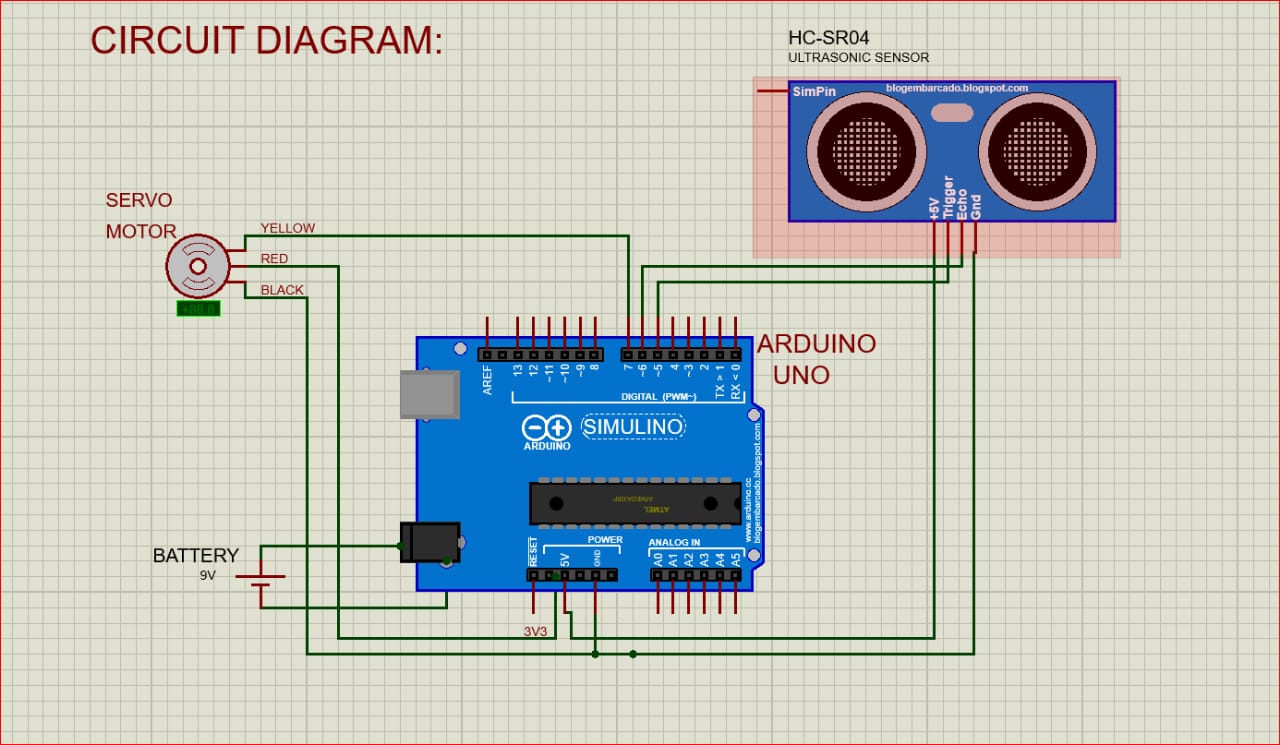
Code for smart dustbin project
#include <Servo.h> //servo library
Servo servo;
int trigPin = 5;
int echoPin = 6;
int servoPin = 7;
int led= 10;
long duration, dist, average;
long aver[3]; //array for average
void setup() {
Serial.begin(9600);
servo.attach(servoPin);
pinMode(trigPin, OUTPUT);
pinMode(echoPin, INPUT);
servo.write(0); //close cap on power on
delay(100);
servo.detach();
}
void measure() {
digitalWrite(10,HIGH);
digitalWrite(trigPin, LOW);
delayMicroseconds(5);
digitalWrite(trigPin, HIGH);
delayMicroseconds(15);
digitalWrite(trigPin, LOW);
pinMode(echoPin, INPUT);
duration = pulseIn(echoPin, HIGH);
dist = (duration/2) / 29.1; //obtain distance
}
void loop() {
for (int i=0;i<=2;i++) { //average distance
measure();
aver[i]=dist;
delay(10); //delay between measurements
}
dist=(aver[0]+aver[1]+aver[2])/3;
if ( dist<50 ) {
//Change distance as per your need
servo.attach(servoPin);
delay(1);
servo.write(0);
delay(3000);
servo.write(150);
delay(1000);
servo.detach();
}
Serial.print(dist);
}

Bread board
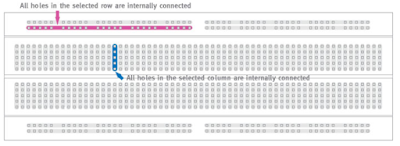
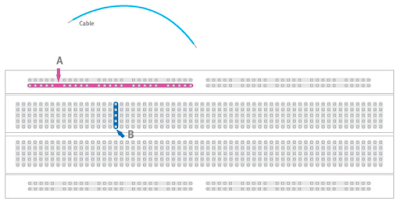
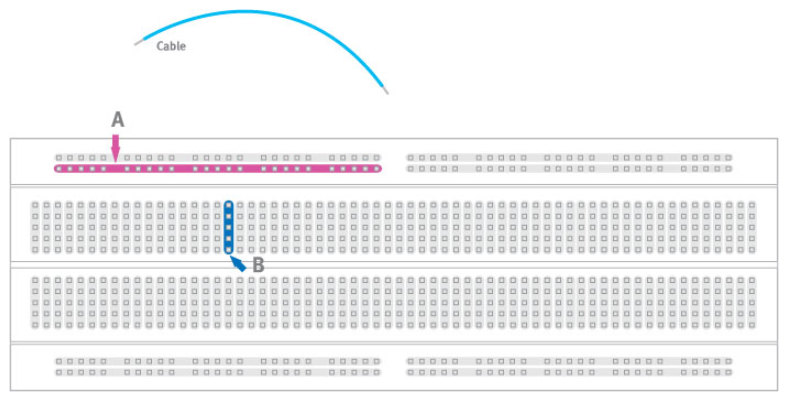
A breadboard is a solderless device for temporary prototype with electronics and test circuit designs. Most electronic components in electronic circuits can be interconnected by inserting their leads or terminals into the holes and then making connections through wires where appropriate. The breadboard has strips of metal underneath the board and connect the holes on the top of the board. The metal strips are laid out as shown below. Note that the top and bottom rows of holes are connected horizontally and split in the middle while the remaining holes are connected vertically.



Subscribe to:
Posts (Atom)